
Showing posts with label facebook. Show all posts
If you made public to your email id then everyone can see it and they can guess the password as well. So always keep it secret or share to only well known peoples.

 The worlds number one social networking site Facebook is preparing to change the policy and terms of use. Facebook has notified to all the users that facebook will changing their policy and terms from first January 2015. If you check the notification of your facebook you will see it.
Nowadays everyone are using social media.All user save their photos, videos including important information and business connections online in their profiles.Everyone save their digital signatures and bank account details in email address. .Everyone uploads their Pictures and videos of fun on social sites. For necessary connections or for business profiles there is LinkedIn and Twitter for twits.
After the death of you have you ever thought about what happens to your social media profiles?Photos, videos,informations and other saved files are on it,can anyone access on it or not,after all? Or how the accounts can be deleted. Twitter, Facebook, Gmail and LinkedIn social networks have their own separate policy. On these all sites,we can made delete user's profile liturgical also..... Today i'm going to tell you that what happens all your profiles and email accounts after your death.
Won't find the account Login Information of users , but that person's any special mail can be retrieved from his email i'd.This process will be in two parts.
Facebook
Account can be made either delete forever or it can be saved as memorial by the family .
Twitter
Account can be deactivated. In addition, to make memorial to the user's account we can made delete photos and videos from the account.
LinkedIn
User's profiles can be routed deleted. A relative or a friend of the deceased must fill the form of LinkedIn. Will not transfer any information to any person. Only profiles will be deleted.
* In the first part, you have to send the necessary documents to prove your deceased relative's ID to the GOOGLE OFFICE via fax or letter .
* In the second part you will have to send the required information sent by Google (Court proof accustomed etc) .
* This process may take several days.
REQUIRED DOCUMENTS
* Your full name
* Your Mailing Address
* Email ID
* Proof of your identity (issued by Government)
* Dead user's email id
* The dead user whose account is to be open, his death certificate. (If it is not in English so users will have to translate it into english and send.)
* Also, you must specify the email id in which you want to ask for in your own email id .
for this you must have to give Information to the GOOGLE headers.
how to get the HEADER INFORNATION go thru this link >> https://support.google.com/mail/answer/22454
what will happen after the submitting the request..
* there is no any certainty that you find all the documents sought by the google.when the google replies you then you have to collect hundreds of documents. After applying all the correct documents google will send back a mail to the requested user.
Facebook
* User must fill out Memorial Form
* You must attach the ID proof and required documents.
* you will have to tell that the dead user's account should delete or make Memorial again....
REQUIRED DOCUMENTS
* Death certificate of the user and some proof.
* ID proof
* Requested user must give a copy of the printed obituary in the any local newspaper.
* Date of death....
what will happen after the submitting the request..
* According to the user's request the profile will be deleted or just will made memorial for relatives or friends but no public information on the profile.
Twitter
* User must submit a request in the Twitter office.
* Must submit a copy of all documents and ID proof to the HEAD OFFICE of Twitter.....
* Dead user's Twitter Account
* Death certificate of the dead user
* Copy of government issued ID (driver's license or passport, etc.)
* The person who is sending request a statement signed by him. Required information in this statement are -
REQUIRED DOCUMENTS
- Your Email ID
- Your full name
- Your Contact Information
- Your relationship with Dead Users
- What to do with the user's account,that request. (eg the user's account should be deactivate.)
- All the necessary documents and the reason of his death
- In addition, the user should give a copy of the obituary published on the local newspaper. (Optional)
what will happen after the submitting the request..
*According to the request, the dead user's account will be deleted or will made memorial for the friends after deleting all the photos and videos from the account.
LinkedIn
* will have to fill a form of LinkedIn.
* you have to deliver a copy of ID proof and the necessary documents.
REQUIRED DOCUMENTS
* Details of the dead user's email id and LinkedIn profiles.
* Date of death.
* Concerned relationship of requested user with the dead user.
* Email i'd of the user who request.
* Electronic signature of the user who request.
what will happen after the submitting the request..
*Professional connection can be copied before requests . If once accepted the request the profile will be deleted.

 now click on 'DEACTIVATE".

Facebook Messenger for web version. have you tried it ?
Worlds number one social network Facebook has already published a different platform named Messenger app to chat on mobile version but now Facebook has published Messenger on web version as well with a different domain name.
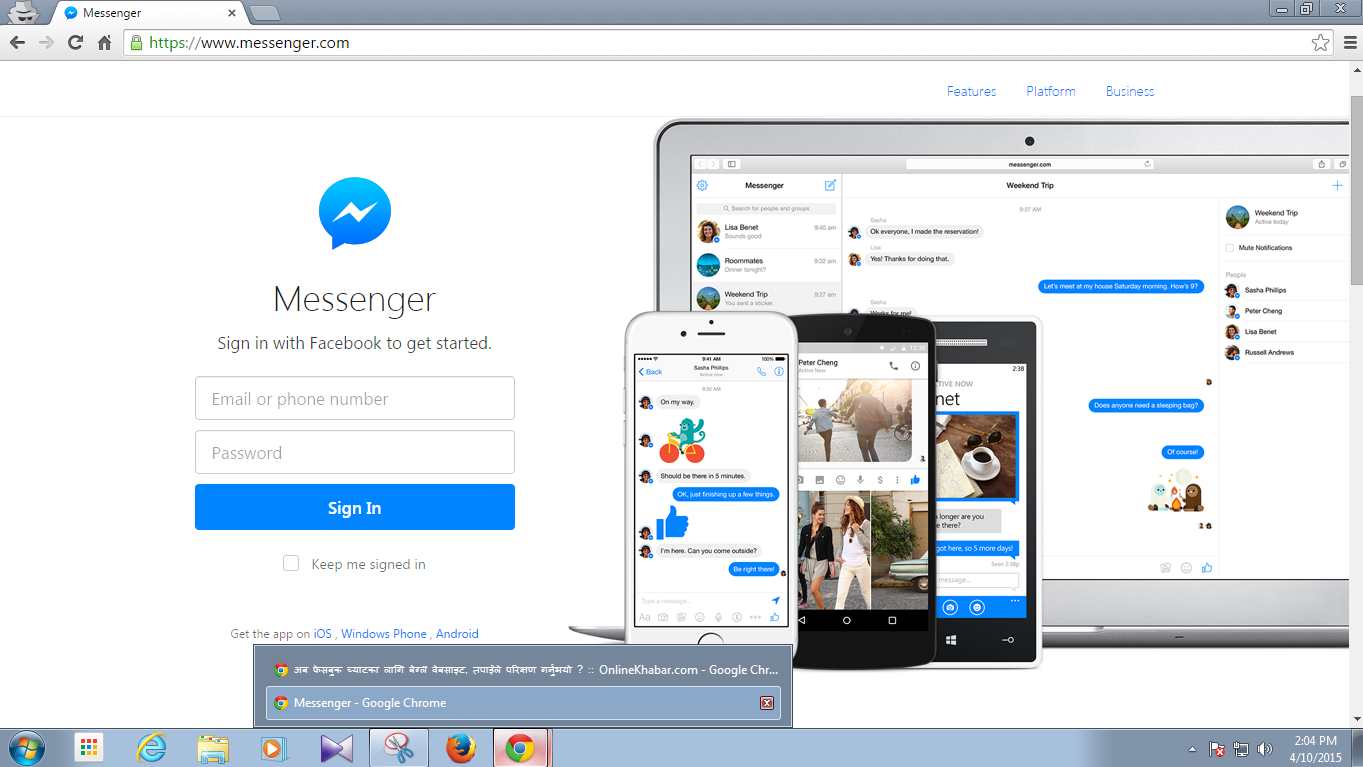
You can open it on the same browser in different window where you are using Facebook. If you are using desktop site then you may go here to try yourself >> https://www.messenger.com . Unless you are not logged in to your Facebook account then you have to log in with your email and password .If you have already opened your Facebook account then you don't need to log in again.
In this new platform you may see a big and clear window to chat. It looks just like as the mobile version but its really good for chat.
You can chat without opening your Facebook account in this platform but you are not oblige to use it. You can chat from the old Facebook chat as well. You can open new platform If only you prefer to chat from it.
Last year Facebook had published a new Messenger app for mobile version and then Facebook closed messenger option for mobile version . That is why users are oblige to download Messenger app on mobile version.
Facebook is trying to develop it as a hub of communication . Last week Facebook had announced about the facility of money transaction thru Messenger chat .
You can open it on the same browser in different window where you are using Facebook. If you are using desktop site then you may go here to try yourself >> https://www.messenger.com . Unless you are not logged in to your Facebook account then you have to log in with your email and password .If you have already opened your Facebook account then you don't need to log in again.
In this new platform you may see a big and clear window to chat. It looks just like as the mobile version but its really good for chat.
You can chat without opening your Facebook account in this platform but you are not oblige to use it. You can chat from the old Facebook chat as well. You can open new platform If only you prefer to chat from it.
Last year Facebook had published a new Messenger app for mobile version and then Facebook closed messenger option for mobile version . That is why users are oblige to download Messenger app on mobile version.
Facebook is trying to develop it as a hub of communication . Last week Facebook had announced about the facility of money transaction thru Messenger chat .
How to Secure your Facebook account from the hacker (with video)
Nowadays Facebook is increasing the security of it even hacker are using many new ways to hack Facebook accounts. So today i'm discussing about the way to secure you Facebook account. There are some basic points to secure your account from the hackers.
1) Do not keep public to your email id
If you made public to your email id then everyone can see it and they can guess the password as well. So always keep it secret or share to only well known peoples.
2) Do not share log in
We meet peoples of around the world on Facebook. We chat with them and sometime we believe them. During chatting we fall in love and share Facebook log in with them. But the love my be the way to hack your account and you may be the victim of that kinda hackers. Avoid to fall in love thru Facebook or even if u fell in love do not share your log in to that kinda peoples. They can steal your secret and valuable information.
3) Do not click on the unknown link
Nowadays we can see many links on groups or sometime we get in inbox as well from the friend's hacked account. If you see that kinda porn link posted by your friends or got in inbox then please tell them that their account have been hacked. If you saw that kinda link then do not click on it. When u click on it then some kinda Spyware,Malware or Adware viruses automatically download in your PC or MOBILE which sends your information to the hackers.
4) Do not use Facebook apps
There are available many kinda apps on Facebook but some of them operated by hackers to hack your account. When you use that kinda Facebook app the you have to accept the term of use. When you accept it then the app saves your login information which can be dangerous for you.
5) Check the link during log in
There are many porn links we see on Facebook if you clicked on it then it redirects you to new page made by hackers to hack Facebook account. The page looks A 2 Z like Facebook but that is not a official Facebook page. And the page says "please log in to watch this video". When you log in it to watch the video then your log in information will reach to the hacker and account will be hack. So please check in the link above in the link box of your browser. If there is not the Facebook.com then ignore it.
If you followed the five points you read above then you can secure your Facebook account. So if you like this post please share it with your friends and complete the role of being a good friends. There is a video below please watch it as well..
"The heir" The new option on facebook
Human being gives up lot's of wealth,relatives and everything after the death, and peoples say yuck let's not talk about the Facebook profile . But mostly relatives worry about it thinking that some peoples might log in and misuse his/he account,post bad things and means negatively about the death of deceased .
We can keep Facebook account as a remembrance even after death of the user which will help to feel the the user is still alive .
But now Facebook has added the new two options in request of the users. But now this service is available only in USA. There will be two options in your Facebook account where you want to delete it or keep any relatives as a heir of your account after your death.
After your death if you want to delete your account then it will be delete permanently but if kept any relatives as a heir then that person can use your account thru his own account but the person can't log in it.
The person can't read the previous messages but can post status ,can change profile picture, can change cover picture and can accept the new friend request and reply them as well.
We can keep Facebook account as a remembrance even after death of the user which will help to feel the the user is still alive .
But now Facebook has added the new two options in request of the users. But now this service is available only in USA. There will be two options in your Facebook account where you want to delete it or keep any relatives as a heir of your account after your death.
After your death if you want to delete your account then it will be delete permanently but if kept any relatives as a heir then that person can use your account thru his own account but the person can't log in it.
The person can't read the previous messages but can post status ,can change profile picture, can change cover picture and can accept the new friend request and reply them as well.

Four best ways to earn money using facebook
Perhaps you have heard about the online income. Often i had also heard peoples talking about the earning on Facebook. First i did not believe them also like you all and If you also have heard the same and still you are not believing it then you are wrong.It is true that we can earn money by using internet as well. We can earn money using Facebook as well.Now the world is boring without the internet connection. Everyone uses the internet every time that's why some of the websites are giving online job to the users. There are many ways to earn money by using internet. i'm going to explain you about it briefly.

Mobile app:- If u can develop any kinda of mobile app then u can earn lost of money. After developing your app you will have to upload it on the play store or any supported sites.If you made app for android and you want to upload it on play store then you have to make a developer account on it.You need to pay $25 to sign up as developer in play store.. After that you will have to apply it for the Google Ad mob or many other are available there but Google is the best .After reviewing you application Google will give ads on your application.
Facebook app :- We can earn money from Facebook app also. If you can develop an application for Facebook then depending on your app you can earn money. If many peoples use your app on Facebook then you can monetize it.After applying your app for monetization there will appear a live ads then you will get monthly payment but the earning will depend on the users who use your app.
Blog :- One of best online earning way is writing blogs. If you can write posts that mostly read by peoples. Peoples always visit your site and read your contents then Google and many other companies will offer you advertisement. Then you can earn money.
Youtube :- Youtube also a good way to earn money. If you can act like a actor,sing a song,dance and funny videos then you will have to make videos and upload it on the youtube.If peoples like your videos and view many time then Google will shows ads on your video then you will be paid every months.
Every things i told you above the ways of online earning is depends on the reader or viewer of your contents. That is why you need more fans. If you have big Facebook fan page then you can earn more money. You have to show your contents to the Facebook users by sharing on the Facebook fan pages or groups. When peoples see your content then they will go to your site to see it. Then you will be paid by the company you associated.
Thus peoples often say Facebook is their part time job.
Mobile app:- If u can develop any kinda of mobile app then u can earn lost of money. After developing your app you will have to upload it on the play store or any supported sites.If you made app for android and you want to upload it on play store then you have to make a developer account on it.You need to pay $25 to sign up as developer in play store.. After that you will have to apply it for the Google Ad mob or many other are available there but Google is the best .After reviewing you application Google will give ads on your application.
Facebook app :- We can earn money from Facebook app also. If you can develop an application for Facebook then depending on your app you can earn money. If many peoples use your app on Facebook then you can monetize it.After applying your app for monetization there will appear a live ads then you will get monthly payment but the earning will depend on the users who use your app.
Blog :- One of best online earning way is writing blogs. If you can write posts that mostly read by peoples. Peoples always visit your site and read your contents then Google and many other companies will offer you advertisement. Then you can earn money.
Youtube :- Youtube also a good way to earn money. If you can act like a actor,sing a song,dance and funny videos then you will have to make videos and upload it on the youtube.If peoples like your videos and view many time then Google will shows ads on your video then you will be paid every months.
Every things i told you above the ways of online earning is depends on the reader or viewer of your contents. That is why you need more fans. If you have big Facebook fan page then you can earn more money. You have to show your contents to the Facebook users by sharing on the Facebook fan pages or groups. When peoples see your content then they will go to your site to see it. Then you will be paid by the company you associated.
Thus peoples often say Facebook is their part time job.
Facebook is changing policy,what will be change..?
The worlds number one social networking site Facebook is preparing to change the policy and terms of use. Facebook has notified to all the users that facebook will changing their policy and terms from first January 2015. If you check the notification of your facebook you will see it.According to the facebook, facebook will give tips to the users to use the facebook and that tips will be a guidelines for the use of facebook. It will help to the users to know how facebook works and controls the the information. According to the facebook the changes will be on the topic below mentioned.
Baseline Privacy
Through the baseline privacy will tell to the users how do they can control own information in facebook. for an example users will know about untagging,unfriending and blocking. like wise users will know that who can see your status ,users can edit the privacy of each status. This information will be available in 36 languages.
what is happening beside of you:
Facebook will give to the users about whats happening beside of you which is necessary to know to the users. This kinda information will give to users as per the location basis.For an example if you shared your location then facebook will show you the information of restaurant,cinema hall,library etc.
Easy to online shopping
facebook is testing their "BUY" button, which will help you to online shopping. you can buy anything from it.Likewise facebook id doing homework to make easier to the money transaction as well .
Information about the facebook family
facebook is expanding speed in last some years.Facebook will give to the users about the information about their company,apps or services. As an example if you forgot the password of your Instragram you will get it back with the help of the information of your facebook account.
Advertisement and you
Often peoples want to know how the facebook shares information with the Advertisers. Facebook shares the advertisement on users wall without any information but now facebook will share the advertisement according to your choice.
The way to use Facebook as a business
I think you also have heard about using Facebook as a business and earned lots of money.
 yes we can use Facebook as a business, but how?
yes we can use Facebook as a business, but how?billions of peoples use the Facebook but only a few people know the way to use Facebook as a business.they are flirting on the wall of Facebook and wasting their valuable time for nothing.If want to use facebook as part time job then you can do it. But first you should have facebook pages or groups.If you have big facebook pages or groups it will be easy to earn money.
Another you have to make a gmail account.After making a gmail account you can make a sub domain website or blog.When you start to write anything interesting on your blog. you can write about anything you know.But that should be interesting so that many people visit your web or blog to read your content.
i already told you about the facebook pages or groups where you can promote your website or blog. you have to share you content on your facebook page or group . when the people see your content then they will come to your blog to read it. If your content read many times then google will provide you an account that is adsense account.
when you get this account then google will broadcast a live ads on your site. then you will be paid by google every months direct from western union or bank account.
Facebook is the main way to get visitor for your blog because everybody use facebook 24hours. But the earning will be depend on the your post and member of your pages or groups. If you have big page then there will be more probability to visit your site. If more peoples visit your blog then you will earn more money.But if you don't have visitor then you cant earn money so as a whole your earning will depend on the visitor of your blog.
Similarly you can earn from youtube as well. first you have to make an youtube account. Then you have to upload your videos. Remember, videos must be created by yourself. if you upload other's then google wont monetize your account. Because there are some policy and protected by copyright.When you upload any kinda videos created by yourself and viewed by many peoples then you have to apply you account for monetize.After getting approved your account the google will broadcast a live ads on your video.
To increase the view of your videos you can share it on your facebook page or on facebook groups. Youtube earning also depend on the view of your videos. Thats' why facebook page or groups is neccesary for you.
To get more like on your facebook pages you can promote it by paying some money to facebook.Facebook takes some money to promote your page.
If you have good content and every day visit by many peoples then then you will be paid every months after reaching your earning $100. It is reliable but if you did not follow the some rules then your account will be disable anytime by the google..
your social accounts may be immortal,learn how is it possible.
 |
| Add caption |
After the death of you have you ever thought about what happens to your social media profiles?Photos, videos,informations and other saved files are on it,can anyone access on it or not,after all? Or how the accounts can be deleted. Twitter, Facebook, Gmail and LinkedIn social networks have their own separate policy. On these all sites,we can made delete user's profile liturgical also..... Today i'm going to tell you that what happens all your profiles and email accounts after your death.
what will happen to your accounts after your death?
GmailWon't find the account Login Information of users , but that person's any special mail can be retrieved from his email i'd.This process will be in two parts.
Account can be made either delete forever or it can be saved as memorial by the family .
Account can be deactivated. In addition, to make memorial to the user's account we can made delete photos and videos from the account.
User's profiles can be routed deleted. A relative or a friend of the deceased must fill the form of LinkedIn. Will not transfer any information to any person. Only profiles will be deleted.
what may be the process of your accounts.?
Gmail
* Process in Two Parts* In the first part, you have to send the necessary documents to prove your deceased relative's ID to the GOOGLE OFFICE via fax or letter .
* In the second part you will have to send the required information sent by Google (Court proof accustomed etc) .
* This process may take several days.
REQUIRED DOCUMENTS
* Your full name
* Your Mailing Address
* Email ID
* Proof of your identity (issued by Government)
* Dead user's email id
* The dead user whose account is to be open, his death certificate. (If it is not in English so users will have to translate it into english and send.)
* Also, you must specify the email id in which you want to ask for in your own email id .
for this you must have to give Information to the GOOGLE headers.
how to get the HEADER INFORNATION go thru this link >> https://support.google.com/mail/answer/22454
what will happen after the submitting the request..
* there is no any certainty that you find all the documents sought by the google.when the google replies you then you have to collect hundreds of documents. After applying all the correct documents google will send back a mail to the requested user.
* You must attach the ID proof and required documents.
* you will have to tell that the dead user's account should delete or make Memorial again....
REQUIRED DOCUMENTS
* Death certificate of the user and some proof.
* ID proof
* Requested user must give a copy of the printed obituary in the any local newspaper.
* Date of death....
what will happen after the submitting the request..
* According to the user's request the profile will be deleted or just will made memorial for relatives or friends but no public information on the profile.
* Must submit a copy of all documents and ID proof to the HEAD OFFICE of Twitter.....
* Dead user's Twitter Account
* Death certificate of the dead user
* Copy of government issued ID (driver's license or passport, etc.)
* The person who is sending request a statement signed by him. Required information in this statement are -
REQUIRED DOCUMENTS
- Your Email ID
- Your full name
- Your Contact Information
- Your relationship with Dead Users
- What to do with the user's account,that request. (eg the user's account should be deactivate.)
- All the necessary documents and the reason of his death
- In addition, the user should give a copy of the obituary published on the local newspaper. (Optional)
what will happen after the submitting the request..
*According to the request, the dead user's account will be deleted or will made memorial for the friends after deleting all the photos and videos from the account.
* you have to deliver a copy of ID proof and the necessary documents.
REQUIRED DOCUMENTS
* Details of the dead user's email id and LinkedIn profiles.
* Date of death.
* Concerned relationship of requested user with the dead user.
* Email i'd of the user who request.
* Electronic signature of the user who request.
what will happen after the submitting the request..
*Professional connection can be copied before requests . If once accepted the request the profile will be deleted.
the easiest way to schedule your post on facebook.
if your are a publisher and bothered with posting one by one on your facebook pages,facebook groups.twitter accounts,google plus pages? if it is so then it will be a good solution for you.
 postcron.com is the site which helps you to schedule your post on facebook,twitter and google plus accounts. you can take lots of advantages by signing up on postcron. you can sign up by using your facebook,twitter and google plus account as well.
Postcron is the best site for your business.there are many facilitise for you to get lots of traffic on your websites.
There are many options which is so easy to use and so interesting also.
How to utilize it..?
Firts fo all you have to sign up and you need an account of it.but dont worry its so easy to sign up.
there are three options for signing up.
» facebook
» twitter
» google plus
You can use any one of your account.you can signing up by using your facebook,twitter abn google plus accounts.After signing up you have to add your groups or pages here.
After that you can schedule your post time to time.but remember for free virsion you can schedule only 10 post per day and you can add 15 pages including facebook groups,google plus and twitter accounts.you can post only on 10 pages or groups once .if you have more pages and groups then u have to upgrate your plan.
If you want to use more pages or groups and you want to schedule more posts to earn more money then you have to upgrate your account.you have to change your plan.
You can upgrate your plan,to upgrate click on the"plan and pricing" at the top of the site.there many options for you.
Postcron is the right site for the all bussy peoples.postcron knows value of your valuable time.it saves your time and increase the earning of you.
Here are the way to posting....
Posting status updates: first select the pages or groups you added above.then write the status or paste copied texts.now what do u want to do?you can post or you schedule for future.click on the downwards aero beside of the schedule.if you want to post recently you can click on "post" or if you want to schedule for future you can schedule as per your local time.
Uploading photo: To post picture on your facebook pages or groups at the same time click on the"share photos»select photos from your computer or you can add from your facebook or instagram account as well.after uploading the the photos do whatever you want to do like said above.
Share links: you can easily share links also.to share link first copy the link you want to share and click on "share links' then click on attache.and write suitable caption below in the box and post at the same time in your 10 facebook pages or groups for free.
You can post photos from link also.do as i told above.paste links and click on attach.after that click on "convert link into image" then link will convert into image.you dont need to save it on your computer.just open the image of any sites then copy the image URL and paste copied URL in the link box.now click on attach bottom and "convert image into image".now you will be able to post image without saving on your mobile or computer.
Another good point is still to tell you.. and that is you can shorten the post link of your sites.copy the link of your post.paste it on the link box of postcron. Click on the chain icon just left hand beside of attach bottom.then your link will be short easily.
If there are more images on your website link then you can select the image which you want to display on facebook.
If you want to change the display image of your link on facebook,first paste your link in the link box then click on attach.after clicking on the attach,go other site and copy image URL and paste the copied URL after clicking on "paste url of image".now image of your link will change and post it on facebook.
After upgrating your plan you can upload multiple images on facebook at the same time.plz do upgrate your account and lots of more facilities like uploading the multiple images at the same time on facebook.
You can make group of your pages or groups.
If you have more pages and groups of different categories,you can make different groups as well.
First select the pages or groups of same categories, create a group of the lists of the added pages or groups.write the suitable name.Now select other groups,give the suitable name and save it.you dont have to select one by one after making groups.when u click on the name of the group it will select saved groups automatically.
If you had to change and the added pages or groups then go to setting at the top of the site.you can delete pages or groups from here and add other new pages or groups.
Postcron is the best site for your business.there are many facilitise for you to get lots of traffic on your websites.
There are many options which is so easy to use and so interesting also.
How to utilize it..?
Firts fo all you have to sign up and you need an account of it.but dont worry its so easy to sign up.
there are three options for signing up.
» google plus
You can use any one of your account.you can signing up by using your facebook,twitter abn google plus accounts.After signing up you have to add your groups or pages here.
After that you can schedule your post time to time.but remember for free virsion you can schedule only 10 post per day and you can add 15 pages including facebook groups,google plus and twitter accounts.you can post only on 10 pages or groups once .if you have more pages and groups then u have to upgrate your plan.
If you want to use more pages or groups and you want to schedule more posts to earn more money then you have to upgrate your account.you have to change your plan.
You can upgrate your plan,to upgrate click on the"plan and pricing" at the top of the site.there many options for you.
Postcron is the right site for the all bussy peoples.postcron knows value of your valuable time.it saves your time and increase the earning of you.
Here are the way to posting....
Posting status updates: first select the pages or groups you added above.then write the status or paste copied texts.now what do u want to do?you can post or you schedule for future.click on the downwards aero beside of the schedule.if you want to post recently you can click on "post" or if you want to schedule for future you can schedule as per your local time.
Uploading photo: To post picture on your facebook pages or groups at the same time click on the"share photos»select photos from your computer or you can add from your facebook or instagram account as well.after uploading the the photos do whatever you want to do like said above.
Share links: you can easily share links also.to share link first copy the link you want to share and click on "share links' then click on attache.and write suitable caption below in the box and post at the same time in your 10 facebook pages or groups for free.
You can post photos from link also.do as i told above.paste links and click on attach.after that click on "convert link into image" then link will convert into image.you dont need to save it on your computer.just open the image of any sites then copy the image URL and paste copied URL in the link box.now click on attach bottom and "convert image into image".now you will be able to post image without saving on your mobile or computer.
Another good point is still to tell you.. and that is you can shorten the post link of your sites.copy the link of your post.paste it on the link box of postcron. Click on the chain icon just left hand beside of attach bottom.then your link will be short easily.
If there are more images on your website link then you can select the image which you want to display on facebook.
If you want to change the display image of your link on facebook,first paste your link in the link box then click on attach.after clicking on the attach,go other site and copy image URL and paste the copied URL after clicking on "paste url of image".now image of your link will change and post it on facebook.
After upgrating your plan you can upload multiple images on facebook at the same time.plz do upgrate your account and lots of more facilities like uploading the multiple images at the same time on facebook.
You can make group of your pages or groups.
If you have more pages and groups of different categories,you can make different groups as well.
First select the pages or groups of same categories, create a group of the lists of the added pages or groups.write the suitable name.Now select other groups,give the suitable name and save it.you dont have to select one by one after making groups.when u click on the name of the group it will select saved groups automatically.
If you had to change and the added pages or groups then go to setting at the top of the site.you can delete pages or groups from here and add other new pages or groups.
how to know the active session of your facebook account.
Now facebook account are being hacked day by day and today i'm gonna talking about the way to know active session of your facebook account.you can find out where and in which device is using your account. If you found the new place or new device which you don't recognize then u can disable that place or device to use your account.
So if you are using full site of Facebook then go to setting >> security>>active session.
You will see here the place and device which used your account.if you don't recognize the place or device then you can disable it. You can see here the name of place and the name of device.if you have used only "Facebook for android" but u saw here "Nokia Lumia" or chrome etc,then click on the "end activity" just beside of the name of location and device.
If you are a mobile user then go to the account setting >> security >> active session and do the same as i told you above..tnq
how to keep hidden admin on your facebook page
Facebook pages are best place for sharing latest updates, thoughts, discussion based topics and also for marketing and promoting products and website for earning. Facebook pages grow faster than individual profile or any group. There are lots of pages with millions+ likes and increasing day by day. Due to popularity of pages at large extend there are number cases increases day by day of page got hacked by someone. To keep protect pages its necessary to know about the methods and techniques used by them to make fool others.
Today i am going to discuss about using hidden admin on Facebook page. It this i am not teaching to use this trick with others. This is just to make you aware about and keep in mind that before getting page from someone with any deal be sure about that is there any hidden admin on page or not. This hidden admin method is also have benefit suppose when if someone remove you from page then by hidden you can get back your page. So if you want to know how to add hidden admin on pages just follow below steps.
Important Note:- After working for approx 2 week now Facebook fixed all the bug related hidden admin. Sorry for this inconvenience but if want to try feel free and learn how this process was actually works. If it currently works for you kind let me know in comments.
Requirements:-
New gmail account which is not linked with any Facebook account.
We check this working for gmail. But we are not sure about other email services just try on your behalf.
Little bit common sense which trick implementation
Steps To Add Hidden Admin on Page
On Your Facebook Page in which you want to add hidden admin.
Go To SETTING at the left top of your page >> page roles
Then in the box of Add new admin Simple Add fresh gmail account which is not connected with any Facebook account
hidden email
Then enter your password and the code of security check box.
Nothing will be appear in admin panel and all appears normal just like before adding email as admin no changes in the totals admin.
Your Hidden admin is added successfully.
How To Unhidden Admin To Get Page Back
After adding new email in page you will get email from Facebook in your gmail account about page invitation.
In future if someone remove you then to get page back you need to unhide your email. Suppose if you need make hidden admin as page manager you have two different method.
Method 1:- Add your hidden admin email into any account Where want manager or that page.
Method 2:- Create new account with hidden email.
add hidden email
After adding email in your account.
Then open your invitation email of Facebook page in gmail.
Then click on Join Page Button as shown below.
make hidden admin
Now Your account will become manager page automatically.
I hope you like this hidden admin trick and find this helpful. This trick is very useful for protection purpose. I request everyone please don't misuse of this method.
If you find this trick helpful feel free to share it with others. If you have any question must leave precious comment.
beware !, do not click on this kinda link of Facebook ..
facebook is the biggest social network of the world. Each and every persons are using it but like wise the spammers and hackers are also increasing day by day. they are using many kinda way to hack your facebook account and your information. today m going to tell u about the :PHISING" system.
what is PHISING ?
sometimes spammers and hackers make a fake web page which looks like facebook log in page. when you log in on that page your all email and password will keep by the hackers, it is called"PHISING".
HOW DO THEY ATTRACT YOU?
mostly they post a link with nude pictures on facebook groups or they will send an email to you.here are some pictures for an example.

when you click on that video it will redirects you to the fake fcebook log in page and it says "log in to your facebook account to view the video".
what is PHISING ?
sometimes spammers and hackers make a fake web page which looks like facebook log in page. when you log in on that page your all email and password will keep by the hackers, it is called"PHISING".
HOW DO THEY ATTRACT YOU?
mostly they post a link with nude pictures on facebook groups or they will send an email to you.here are some pictures for an example.
when you click on that kinda link it will direct redirects you to the fake facebook log in page. sometimes it will redirects you to the web site.they put there a picture which looks like a video.when you reach on that web site you will click on that image to watch the video.
when you click on that video it will redirects you to the fake fcebook log in page and it says "log in to your facebook account to view the video".
you can see this page just same as facebook log in page but it is a page. if u logged in here your facebook will be hack and your secret information will keep by the hackers.that's why do not click on this kind of link.Another way spammers will send you an email like this "LAST WARNING : Your account is reported to have violated the policies that are considered annoying or insulting Facebook users. Until we system will disable your account within 24 hours if you do not do the reconfirmation.
Please confirm your account below:
[Link Removed]
Thanks.
The Facebook Team
Copyright facebook © 2011 Inc. All rights reserved. ". if you tried to reconfirm your account it will be hack.
here are some links of fake facebook log in page.
http://www.sanagustinturismo.co/Facebook/
http://www.facebook.pcriot.com/login.php
http://deadlyplayerx.binhoster.com/Facebook/securelogin.php
http://facelook.shop.co/login.php
http://sigininto.horizon-host.com/facbook/facebook.php
http://custom-facebook.info/facebook.htm
http://www.profile.co.gp/facebook
http://s6.mywibes.com/facebook.htm
http://www.fjtech.us/
http://myoneid.site90.com/
http://facedook.co.gp/wwwfacebookcomprofilephpid100001548737188.htm
http://faceebook-com.bugs3.com/login/Secured_Re-login/index1.html
http://facebooook.axfree.com/
http://combatarms.free.fr/
http://sweed.web44.net/
http://thekshitij.in/facebook/index1.html
http://addgames.awardspace.biz/
http://www.profile.co.gp/facebook/
http://www.sjscheat.com/Hosting%20blogger/facebook
http://h1.ripway.com/denal/
http://1337r00t.13.ohost.de/r00tw00tkn00wn/
http://faacebok.zapto.org/
http://h4ck3rgadungan.adfoo.info/index1.html
http://www.2498.b.hostable.me/
social media or networks neither requests your financial information nor log in details.it is designed to steal your credit card numbers and social media accounts. when someone becomes phished their account starts to send a large numbers of message or links to your friends. if your Facebook account is sending automatically messages or links to your friends then you must secure your Facebook account on this link >> https://www.facebook.com/login/reauth.php?next=https%3A%2F%2Fwww.facebook.com%2Fcheckpoint%2Fcheckpointme%3Ff%3D113194692112762%26r%3Dweb_hacked
.
How to deactivate your facebook account on mobile site?
there is little different way to deactivate your facebook account between mobile and desktop site. i have already taught u all about the system of deactivating account on full site(desktop site). so today m teaching you about the system of deactivating your facebook account on mobile site.
First log on to your account on mobile site. Click on the left side icon at top of the screen. now go to account setting as per the picture shown below and click on that option.
now go to the general setting.
Now type your password in the box and click on the continue button. now your account became disable.no one can see you till you enable your account. if you want to enable your account again you can log in again using the same email and password in future.
tnq so much for reading my post.if u became confuse anywhere plz comment below at the comment box. i would like to request u all plz share this post with your friends may be they are new on facebook. so let them know about it.. :) tnq
Beware, if u saw this kinda status,comment or message on facebook.
At this time all peoples use social network Facebook. And most of the peoples use social network thru smart phone. its being easy to hacker to steal your information thru smartphone. most of the apps can read your inbox,contact and many more and this kind of apps is stealing your
secret information .According to the one newspaper some hackers steal user's information making them fool like on this picture below. Hackers update a post like how to hack other's Facebook or information. They persuade to hack others account and tell users to do three steps to hack other's account.They say to open one web browser like Google chrome or Mozila etc and often say to do right click of mouse. Then they tell users to select INSPECT ELEMENT and click to CONSOLE which opens HTML editors of the web browser. After they say to users to type a special code so that u can hack in to other's account but when a user types that code in console panel his/her own account becomes hack already cause email and password already reaches to the hackers. then hackers steal all information of your and next victim will be other friends. Hackers use SELF-XSS in this game which traps to the browser users. Facebook has considered it a security risk from the beginning. You can go thru this link https://www.facebook.com/help/246962205475854 to read what is SELF-XSS
Now Facebook has put a red colored warning text on console so that users may not fall in trap.You will be responsible yourself if your type that hackers given code on console panel while your browsers is warning you. Read in this link https://www.facebook.com/help/205730929485170 how u can remain safe if u received this kinda messages. what is SELF-XSS? Facebook has given full information about it on this link https://www.facebook.com/help/543344735779134/


