
Showing posts with label whatsapp. Show all posts
Nowadays everyone are using social media.All user save their photos, videos including important information and business connections online in their profiles.Everyone save their digital signatures and bank account details in email address. .Everyone uploads their Pictures and videos of fun on social sites. For necessary connections or for business profiles there is LinkedIn and Twitter for twits.
After the death of you have you ever thought about what happens to your social media profiles?Photos, videos,informations and other saved files are on it,can anyone access on it or not,after all? Or how the accounts can be deleted. Twitter, Facebook, Gmail and LinkedIn social networks have their own separate policy. On these all sites,we can made delete user's profile liturgical also..... Today i'm going to tell you that what happens all your profiles and email accounts after your death.
Won't find the account Login Information of users , but that person's any special mail can be retrieved from his email i'd.This process will be in two parts.
Facebook
Account can be made either delete forever or it can be saved as memorial by the family .
Twitter
Account can be deactivated. In addition, to make memorial to the user's account we can made delete photos and videos from the account.
LinkedIn
User's profiles can be routed deleted. A relative or a friend of the deceased must fill the form of LinkedIn. Will not transfer any information to any person. Only profiles will be deleted.
* In the first part, you have to send the necessary documents to prove your deceased relative's ID to the GOOGLE OFFICE via fax or letter .
* In the second part you will have to send the required information sent by Google (Court proof accustomed etc) .
* This process may take several days.
REQUIRED DOCUMENTS
* Your full name
* Your Mailing Address
* Email ID
* Proof of your identity (issued by Government)
* Dead user's email id
* The dead user whose account is to be open, his death certificate. (If it is not in English so users will have to translate it into english and send.)
* Also, you must specify the email id in which you want to ask for in your own email id .
for this you must have to give Information to the GOOGLE headers.
how to get the HEADER INFORNATION go thru this link >> https://support.google.com/mail/answer/22454
what will happen after the submitting the request..
* there is no any certainty that you find all the documents sought by the google.when the google replies you then you have to collect hundreds of documents. After applying all the correct documents google will send back a mail to the requested user.
Facebook
* User must fill out Memorial Form
* You must attach the ID proof and required documents.
* you will have to tell that the dead user's account should delete or make Memorial again....
REQUIRED DOCUMENTS
* Death certificate of the user and some proof.
* ID proof
* Requested user must give a copy of the printed obituary in the any local newspaper.
* Date of death....
what will happen after the submitting the request..
* According to the user's request the profile will be deleted or just will made memorial for relatives or friends but no public information on the profile.
Twitter
* User must submit a request in the Twitter office.
* Must submit a copy of all documents and ID proof to the HEAD OFFICE of Twitter.....
* Dead user's Twitter Account
* Death certificate of the dead user
* Copy of government issued ID (driver's license or passport, etc.)
* The person who is sending request a statement signed by him. Required information in this statement are -
REQUIRED DOCUMENTS
- Your Email ID
- Your full name
- Your Contact Information
- Your relationship with Dead Users
- What to do with the user's account,that request. (eg the user's account should be deactivate.)
- All the necessary documents and the reason of his death
- In addition, the user should give a copy of the obituary published on the local newspaper. (Optional)
what will happen after the submitting the request..
*According to the request, the dead user's account will be deleted or will made memorial for the friends after deleting all the photos and videos from the account.
LinkedIn
* will have to fill a form of LinkedIn.
* you have to deliver a copy of ID proof and the necessary documents.
REQUIRED DOCUMENTS
* Details of the dead user's email id and LinkedIn profiles.
* Date of death.
* Concerned relationship of requested user with the dead user.
* Email i'd of the user who request.
* Electronic signature of the user who request.
what will happen after the submitting the request..
*Professional connection can be copied before requests . If once accepted the request the profile will be deleted.
Secret information about WhatsApp
Some months before a news came out that WhatsApp is developing for web and will lunch it soon on
 desktop site as well.According to the Android headline website WhatsApp is testing its new version. Upcoming version of WhatsApp (2.11.471) which we can use it on web as well . After coming on website we can use it in computer as well. If you have latest version of WhatsApp app then you will get more options and facilities.
I have some secrets knowledge about WhatsApp perhaps you dont know,that is why i'm sharing it with you all. It may be useful to you.Please read it below and share it with your friends.
locking message :- Whats app is one of the best app for mobile users. It is good for text chatting, sending videos etc. Its easy to share videos with friends and sometimes we share secrets video as well. So we have to hide it so that nobody can open it. To lock your whatsApp messages you need to download a third party app named "Whatsapp lock'.It is available for free on Play store. This app is to luck WhatsApp messages . There is another app named "App lock' which work for all applications but WhatsApp lock is only for whats up. This app is available for blackberry also.
backing up messages :- If you want to change the mobile set or want to format your set then u lost your messages.If you want to save your previous message then you have to back up it.
To back up your messages for IOS users >>Settings > Chat Settings > Chat Backup> Back Up Now.
for Android users >> Settings > Chat settings >Backup conversations.
It is only for text messages but if you want to back up media files(videos/images) then you have to go to "/sdcard/WhatsApp/Media" folder from your file manager then you have to back it up separately.
hiding last seen :- Every time WhatsApp shows to the friends the last time you was online. But now you can hide it easily. There are available some options to show/hide last seen information. To setting it you have to go like settings> account> privacy> last seen. Here you can set it as per your desire. Whom do you want to show "last seen" message.
But for IOS users, there is only on/off options to last seen message. To set it you will have to go like >> Settings > Chat settings > Advanced> ‘Last Seen Timestamp’, and then select on/off.
making shortcut :- If you have some special contacts and want to talk easily then you can keep it on you home screen. To make a shortcut of your special contacts tap and hold for the some time on the group or on the contact and appeared some options the you have to select to the add conversion to shortcut . Now your whats app contacts appears on your home screen and you can chat direct from here. you just need to tap on the shortcut to open conversations..
changing mobile numbers:- If you bought a new numbers and you want to replace the new numbers the it is very easy to change. You will have to go to settings> Account> change number and type old number and news numbers and tap on "done". Now your number is changed or if you want to use old number with new Sim card then you can do it to.
hacking :- WhatsApp has been a social network but is it safe or not ? it may be an issue of discussion. The facilities of the apps like WhatsApp are not safe. Hackers easily can steal the information of users.
WhatsApp can be hack in some conditions (1) IMEI numbers of your phone,if someone knows IMEI numbers of your mobile (2) using public WIFI, if you use public WIF (3) mobile number,If your mobile numbers known .
safty:- To protect being from hack you may follow these points
(1) Do not use users public WIFI
(2) block to the unknown numbers.
(3) keep changing the password numbers of you own routers as well.
Now often unknown people sends and shares the contacts, please do not add them and block directly. If not they will steal the secrete information about you saved in your mobile like credit card numbers and password, email etc. So please stay safe..
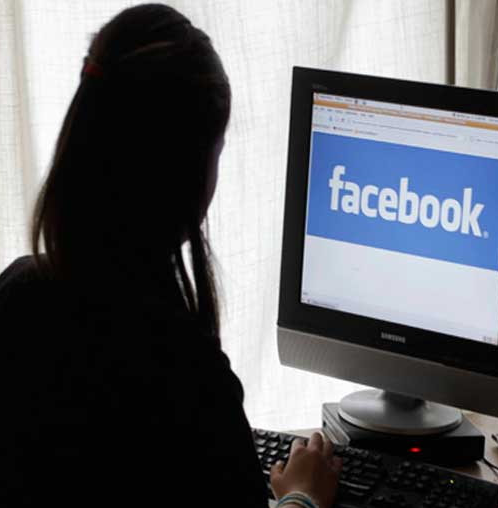
your social accounts may be immortal,learn how is it possible.
 |
| Add caption |
After the death of you have you ever thought about what happens to your social media profiles?Photos, videos,informations and other saved files are on it,can anyone access on it or not,after all? Or how the accounts can be deleted. Twitter, Facebook, Gmail and LinkedIn social networks have their own separate policy. On these all sites,we can made delete user's profile liturgical also..... Today i'm going to tell you that what happens all your profiles and email accounts after your death.
what will happen to your accounts after your death?
GmailWon't find the account Login Information of users , but that person's any special mail can be retrieved from his email i'd.This process will be in two parts.
Account can be made either delete forever or it can be saved as memorial by the family .
Account can be deactivated. In addition, to make memorial to the user's account we can made delete photos and videos from the account.
User's profiles can be routed deleted. A relative or a friend of the deceased must fill the form of LinkedIn. Will not transfer any information to any person. Only profiles will be deleted.
what may be the process of your accounts.?
Gmail
* Process in Two Parts* In the first part, you have to send the necessary documents to prove your deceased relative's ID to the GOOGLE OFFICE via fax or letter .
* In the second part you will have to send the required information sent by Google (Court proof accustomed etc) .
* This process may take several days.
REQUIRED DOCUMENTS
* Your full name
* Your Mailing Address
* Email ID
* Proof of your identity (issued by Government)
* Dead user's email id
* The dead user whose account is to be open, his death certificate. (If it is not in English so users will have to translate it into english and send.)
* Also, you must specify the email id in which you want to ask for in your own email id .
for this you must have to give Information to the GOOGLE headers.
how to get the HEADER INFORNATION go thru this link >> https://support.google.com/mail/answer/22454
what will happen after the submitting the request..
* there is no any certainty that you find all the documents sought by the google.when the google replies you then you have to collect hundreds of documents. After applying all the correct documents google will send back a mail to the requested user.
* You must attach the ID proof and required documents.
* you will have to tell that the dead user's account should delete or make Memorial again....
REQUIRED DOCUMENTS
* Death certificate of the user and some proof.
* ID proof
* Requested user must give a copy of the printed obituary in the any local newspaper.
* Date of death....
what will happen after the submitting the request..
* According to the user's request the profile will be deleted or just will made memorial for relatives or friends but no public information on the profile.
* Must submit a copy of all documents and ID proof to the HEAD OFFICE of Twitter.....
* Dead user's Twitter Account
* Death certificate of the dead user
* Copy of government issued ID (driver's license or passport, etc.)
* The person who is sending request a statement signed by him. Required information in this statement are -
REQUIRED DOCUMENTS
- Your Email ID
- Your full name
- Your Contact Information
- Your relationship with Dead Users
- What to do with the user's account,that request. (eg the user's account should be deactivate.)
- All the necessary documents and the reason of his death
- In addition, the user should give a copy of the obituary published on the local newspaper. (Optional)
what will happen after the submitting the request..
*According to the request, the dead user's account will be deleted or will made memorial for the friends after deleting all the photos and videos from the account.
* you have to deliver a copy of ID proof and the necessary documents.
REQUIRED DOCUMENTS
* Details of the dead user's email id and LinkedIn profiles.
* Date of death.
* Concerned relationship of requested user with the dead user.
* Email i'd of the user who request.
* Electronic signature of the user who request.
what will happen after the submitting the request..
*Professional connection can be copied before requests . If once accepted the request the profile will be deleted.


